 English
 Deutsch
 Polski
 Română
 Čeština
 Melayu
 Bahasa Indonesia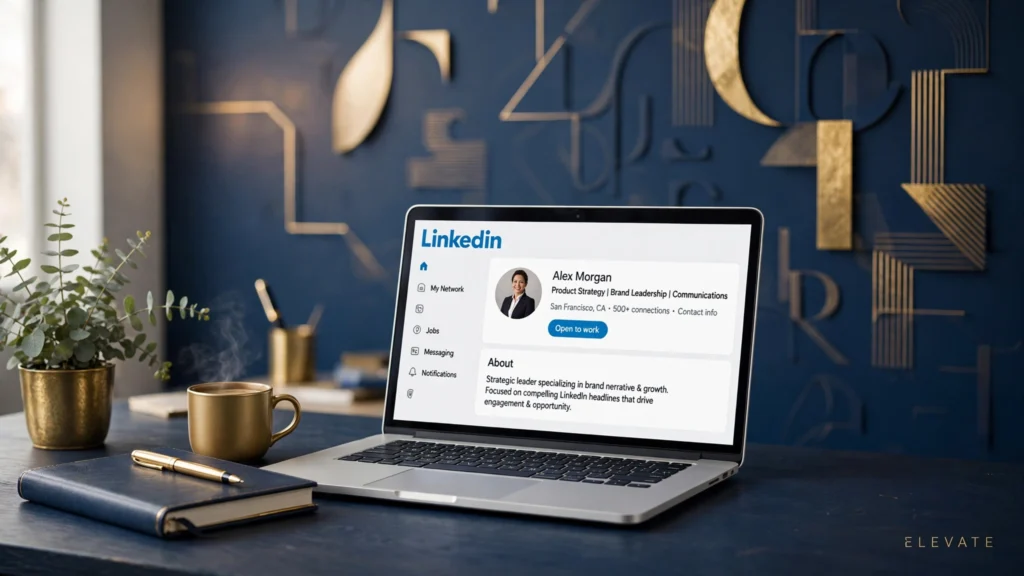
Your Headline Works Harder Than Almost Anything Else on Your Profile
Your LinkedIn headline follows you everywhere on the platform. It sits under your name in search results, in comment threads, and inside recruiter inboxes, and most people give it a single glance before deciding whether to click. So it’s completely understandable that you’d want those 220 characters to stand out, and that’s where fancy text for LinkedIn comes in. These styled snippets aren’t magic, and they aren’t a setting inside LinkedIn itself. Instead, they use special Unicode characters — letters that look bold, italic, or decorative but are technically separate symbols — which you generate somewhere else and then paste into your profile. Done well, a single bolded job title or a small-caps phrase can pull the eye toward exactly the words you want a recruiter to read first. Done badly, though, it reads like a teenager’s social media bio, and hiring managers notice that just as quickly. Over the last few years I’ve watched styled headlines spread from sales reps into finance, law, and even academia, which tells you the trick has grown more accepted. Still, acceptance isn’t the same as good judgement, and the line between polished and flashy shifts with your industry.
A creative director can carry far more decoration than a tax accountant, so your first decision should be about your audience rather than the alphabet. Meanwhile, the technical side matters as much as the taste side. Screen readers, the tools blind users rely on, often read these characters letter by letter, spelling out “mathematical bold capital S” instead of simply saying “senior”. That’s a genuine accessibility cost worth weighing before you restyle your whole profile. Consequently, this guide shows you how to use fancy text for LinkedIn in a way that looks sharp without crossing professional lines. You’ll learn which styles stay readable on every device, how to paste them without breaking anything, and exactly where restraint earns you more than decoration ever will.
The Styles That Actually Suit a Professional Profile
Not every decorative alphabet belongs on a business profile, so it helps to narrow the field before you touch anything. Bold serif and bold sans Unicode sets are the safest choice by far, because they read clearly at small sizes and they match the serious tone most industries expect. A headline like 𝗦𝗲𝗻𝗶𝗼𝗿 𝗗𝗲𝘀𝗶𝗴𝗻𝗲𝗿 | 𝗨𝗫 𝗥𝗲𝘀𝗲𝗮𝗿𝗰𝗵 catches the eye without looking playful, whereas script fonts, gothic blackletter, or bubble letters can make a grown professional’s profile look like a party invitation. Small caps and italic variants sit somewhere in between: they work nicely for a section divider inside your About section, yet they can feel fussy when they’re the first thing a recruiter sees. Because of that, most of the tasteful profiles I’ve seen style only one element — usually the job title — and leave everything else in plain text. Additionally, consistency matters more than creativity here. If you bold your headline but your About section and experience entries are plain, the headline reads as deliberate emphasis. If every field is decorated differently, the whole profile looks scattered. Therefore, pick one style family and one job title, then stop. A handy font generator makes experimenting painless, since you can type your headline once and preview it in dozens of alphabets side by side before committing to anything. When you compare options, read them at arm’s length on your phone screen, because that’s how most recruiters will encounter them. Anything that strains your eyes at that distance will strain theirs too, and no amount of flair is worth a hiring manager squinting. Meanwhile, avoid mixing styles within a single line; one bold phrase plus plain separators reads as confident, while three different alphabets in one headline reads as indecision. Keep the decoration load light and the message heavy, and the styling will support your credibility instead of undermining it.
Build Your Styled Headline in Five Simple Steps
Creating your styled headline takes less than five minutes once you know the order of operations. First, write your plain-text headline exactly as you want it to read, because LinkedIn allows 220 characters and every Unicode letter counts toward that limit just like a normal letter. Second, open a styling tool and paste your chosen phrase — just the job title or key phrase, not the entire headline — then pick the bold alphabet that looks cleanest to you. Third, copy the styled result and paste it into LinkedIn’s headline field, keeping the rest of your headline in plain text around it. Fourth, review the preview carefully on both desktop and your phone before you save, and fifth, update your public profile view to confirm nothing looks broken. The steps in detail: 1) Draft the full headline in a notes app first, and decide which single phrase deserves styling — usually your current role. 2) Generate the styled version of only that phrase using a bold or small-caps Unicode set. 3) Paste it into the headline field between plain-text separators like pipes or middle dots. 4) Check the mobile preview, since phones display fewer characters than desktop. 5) Save, then view your public profile in a logged-out browser to confirm it renders correctly. One hands-on observation from testing this process many times: LinkedIn’s mobile preview consistently truncates styled headlines a few characters earlier than the desktop preview suggests, so the elegant headline you admired on your laptop may lose its final words on a recruiter’s phone. Because of that, I always trim five to ten characters below the desktop limit before publishing. Also worth knowing is that these characters survive profile edits, app updates, and LinkedIn’s periodic redesigns perfectly — they’re plain text as far as the platform is concerned, so nothing about them is fragile. The real risk isn’t technical failure; it’s choosing styling that distracts from the words themselves.
The Etiquette Rules Most People Learn Too Late
Styled text on LinkedIn follows the same unspoken rules as a suit: the goal is to look considered, not to be noticed trying. Recruiters scan hundreds of profiles daily, and a headline like Marketing Manager | 𝗚𝗿𝗼𝘄𝘁𝗵 𝗦𝘁𝗿𝗮𝘁𝗲𝗴𝗶𝘀𝘁 signals confidence about what you do, while a headline stuffed with five alphabets, emojis, and symbols signals something else entirely. As a general principle, styling should emphasise your strongest credential and nothing more. If you’re a certified project manager, bolding your certification makes sense. If you’re between roles, bolding “Open to Work” phrases can look desperate rather than proactive, so plain text serves you better there. Additionally, consider your industry’s temperature before you decorate. Marketing, design, real estate, and tech sales tend to welcome visible personal branding, whereas law, medicine, accounting, and government work reward understatement — in those fields, I’d suggest skipping styling entirely or limiting it to a single bold phrase. Furthermore, seniority changes the calculus: junior professionals can use styling to stand out in crowded applicant pools, but executives are judged on substance and networks, so heavy decoration can read as a lack of both. When in doubt, look at how people two levels above you in your field present themselves and match their restraint. A quick test before publishing is to show your styled headline to a trusted colleague and ask for their honest first impression; if they mention the formatting before the words, you’ve overdone it. The tool that converts your text matters less than the judgement behind it, yet a clean bold text generator helps you compare bold variants calmly instead of grabbing the flashiest alphabet available. Restraint is the whole game here: one styled phrase says you pay attention to detail, while a decorated-everything profile says the detail is all there is.
Readability Limits You Should Respect
Keep styled text within these limits: screen readers can turn styled letters into gibberish, spelling out character names instead of words — so never style text that a blind visitor must understand, like your contact details or location; keep styled characters to roughly 30 characters or fewer per field, because long decorated passages exhaust the reader’s eyes; avoid script, blackletter, and other ornate alphabets in professional contexts; never style your actual name, since recruiters search for it; skip styled text in your experience bullet points; test your headline on an older or budget phone; don’t combine styled text with heavy emoji use; keep a plain-text version of your headline saved somewhere handy. These limits might sound strict, but they protect the exact impression you’re trying to create. Think of styled text like a tie pin: one draws the eye upward, while five of them make people wonder about your judgement. Moreover, most of these rules exist because of real reader behaviour rather than abstract principle. Recruiters skim, they don’t study, and every decorative choice you add increases the chance they’ll skim past you instead of into you. Therefore, treat each styled character as a small withdrawal from a limited attention budget, and spend it only on the words that genuinely deserve highlighting.
Carrying the Style Into Your About Section
Your About section deserves the same restraint as your headline, though it gives you a little more room to breathe. The most tasteful approach I’ve seen uses small caps or bold for mini section dividers — short labels like 𝖲𝖪𝖨𝖫𝖫𝖲 or 𝖤𝖷𝖯𝖤𝖱𝖨𝖤𝖭𝖢𝖤 — followed by plain-text paragraphs underneath. This creates visual structure that helps busy readers scan your story without turning the section into a poster. Personally, I find that one styled divider for every two or three paragraphs hits the sweet spot; more than that and the dividers stop dividing anything. When you write the About section itself, lead with your strongest sentence in plain text, because the first 260 characters show in the preview and that’s where your actual message must land. Then use the styled dividers to organise what follows: background, specialities, and a call to action. Because LinkedIn’s About section allows about 2,600 characters, it’s tempting to decorate generously, but resist that urge — long styled passages are genuinely tiring to read on a phone screen. A practical trick is to draft the whole section in plain text first, confirm every sentence earns its place, and only then add styling to the two or three divider labels. When you’re ready to convert your labels, a reliable fancy text generator lets you preview how small caps or bold render before you paste anything into LinkedIn. Also remember that recruiters often copy About text into their own notes or systems, where styled characters may paste as odd symbols, so your meaning should never depend on the styling. The styling is seasoning, not the meal, and the meal is your actual experience described in clear, confident sentences.
Headline Formulas That Actually Get Clicks
The best styled headlines pair a strong formula with light decoration, so let’s look at combinations that recruiters respond to. One reliable pattern is role plus proof: 𝗦𝗲𝗻𝗶𝗼𝗿 𝗗𝗮𝘁𝗮 𝗔𝗻𝗮𝗹𝘆𝘀𝘁 | Helping fintech teams ship dashboards 40% faster. The bolded role anchors your identity, while the plain-text result gives readers a reason to care. Another strong pattern is role plus audience: 𝖬𝖺𝗋𝗄𝖾𝗍𝗂𝗇𝗀 𝖢𝗈𝗇𝗌𝗎𝗅𝗍𝖺𝗇𝗍 for SaaS founders | 12 yrs turning ad spend into pipeline. Here the styled words frame who you serve, and the numbers do the persuading. Notice that in both examples the decoration never touches the evidence — figures, years, and outcomes stay in plain text where they read as trustworthy. A third pattern suits freelancers and consultants: 𝗕𝗿𝗮𝗻𝗱 𝗗𝗲𝘀𝗶𝗴𝗻𝗲𝗿 → previously with two YC startups | Booking Q3 projects. The arrow adds direction without needing any styling of its own, and the availability note creates gentle urgency. Whichever pattern you choose, keep your separators consistent — pick pipes or middle dots and stick with them, because mixed separators look accidental. In my opinion, the role-plus-proof formula outperforms the others for job seekers, since it answers the two questions every recruiter asks: what are you, and why should I care. Test your formula by reading it aloud; if you stumble over the decorated part, simplify it. Also avoid cramming keywords into your headline just because you’ve heard they’re good for search — LinkedIn’s search weighs your whole profile, and a headline stuffed with jargon reads as desperate rather than discoverable. Two strong keywords placed naturally beat six awkward ones every time.
Test Everywhere Before You Commit
Before you publish anything styled, put it through a quick cross-device check that takes about ten minutes and saves you from embarrassment. Start with your own phone, because most LinkedIn browsing happens on mobile and styled characters can render slightly differently there than on desktop. Then ask a friend on a different phone brand to look at your profile, since font support varies between manufacturers and a character that looks bold on your device might show as a blank box on theirs. Additionally, check your public profile in a logged-out browser window, which is exactly what non-connections and search engines see. If anything looks broken at any stage, switch to a simpler alphabet — plain bold sans is the most widely supported style across devices. Now for the honest limitation I promised: applicant tracking systems, the software most large companies use to parse CVs and sometimes LinkedIn exports, frequently strip or misread styled Unicode characters. That means the beautifully bolded job title a recruiter sees on your profile might arrive in their internal system as a string of odd symbols or disappear entirely. Consequently, never rely on styled text to carry information that an ATS needs — keep your experience entries and skills in plain text so the machines read you correctly. The styling is for human eyes on the platform, not for the software behind it. Once your checks pass, give the headline a week before judging it; watch whether your profile views or search appearances change in LinkedIn’s analytics, and adjust from there. Small, deliberate experiments like this beat dramatic overhauls, because your profile is a professional document and every change should earn its place with evidence.
Final Words
A tasteful approach to fancy text for LinkedIn uses styling the way a good speaker uses emphasis: sparingly, deliberately, and always in service of the message. Pick one phrase, one clean alphabet, and let your actual achievements do the persuading.
FAQs
Does LinkedIn penalise profiles that use styled Unicode text? No, LinkedIn doesn’t penalise or remove styled Unicode characters — they’re treated as ordinary text. The risk isn’t algorithmic; it’s reputational, so heavy decoration can still put off the human recruiters you’re trying to impress.
Will my styled headline work with applicant tracking systems? Often not. Many ATS tools strip or garble styled Unicode characters when importing profile data, so keep your experience section, skills, and contact details in plain text where the software can read them reliably.
How many characters of my headline should I style? Style one phrase of about 30 characters or fewer — usually your job title. Styling more dilutes the emphasis effect and makes the whole headline harder to scan quickly.
Do styled characters display correctly on every phone? Most bold and small-caps sets display fine on modern phones, but older or budget devices can show empty boxes for rarer alphabets. Test on a second device and stick to simple bold styles for maximum compatibility.
Is styled text appropriate for conservative industries like law or finance? Generally, less is more. In conservative fields, skip styling or limit it to a single bold phrase, and mirror the restraint of senior colleagues in your industry before publishing.