 English
 Deutsch
 Polski
 Română
 Čeština
 Melayu
 Bahasa Indonesia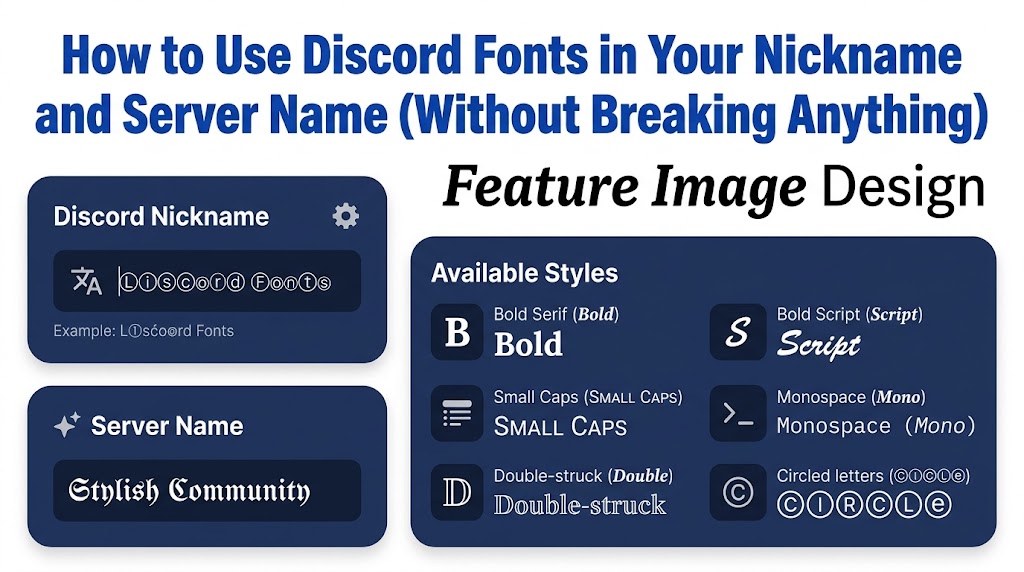
Why Discord Fonts Get Noticed in a Busy Member List
Scroll through any big Discord server and you’ll see a long wall of plain names that all look the same. That’s exactly why Discord fonts work so well. A nickname written in bold script or neat small caps pulls the eye before anyone even reads it. Discord doesn’t give you a font menu for names, though. The app only lets you style messages with markdown, and markdown stops working the moment you step into profile settings. So how do people get those fancy names? They use Unicode. Unicode is a giant list of characters that every modern phone and computer shares, and it includes whole alphabets that look bold, italic, cursive, or boxed. When you paste those characters into your nickname, Discord treats them as normal text, which means everyone sees the same style on their screen. Honestly, I think this matters most in large communities. In a server with 40 members, people learn your name quickly anyway. However, in a server with 20,000 members and a member list that never ends, a clean styled nickname helps moderators, friends, and teammates spot you fast. It also tells people a little about you. A gamer clan might pick heavy bold letters, while an art server member might pick soft cursive. Still, style only helps when people can read it. A name buried under symbols looks like spam, and some servers will even reset it. Throughout this guide, you’ll learn where these fonts work, where they don’t, and how to set them up on desktop and mobile. Besides that, you’ll see which styles stay readable and which ones cause trouble. By the end, you’ll know how to make a name that stands out and still feels like you, not a jumble of random shapes that nobody can type or remember.
How Unicode Fonts Actually Work on Discord
Before you start pasting, it helps to know what’s really happening behind the scenes. A normal letter “A” is one specific character. Meanwhile, the bold “𝐀” you see in styled names is a totally different character, pulled from a Unicode block called Mathematical Alphanumeric Symbols. Mathematicians originally needed these letters for formulas, so Unicode gave them their own slots. Fancy text tools simply swap each normal letter you type for its styled twin. That’s why a font generator doesn’t install anything on your phone. It’s just trading one character for another, and then you copy the result. Because of this, the style travels with the text. You paste it into Discord, and Discord stores those exact characters on its servers. Then, when a friend opens the member list on an iPhone, an Android tablet, or a Windows laptop, their device draws the characters using its own system fonts. Most modern devices have good support for these alphabets, so the name looks right almost everywhere. There are catches, though. Older Android phones sometimes don’t have the right glyphs, and they show empty boxes instead of letters. Similarly, some styles are incomplete. For example, the small caps alphabet has no proper small capital “x”, and its “q” barely displays on most phones, so generators quietly drop in a regular letter to fill the gap. You’ll notice this if you look closely at a small caps name with those letters in it. Another detail matters too. Screen readers, which blind users rely on, often read styled letters strangely or skip them. So, if accessibility matters in your server, keep the styled part short. In other words, Unicode fonts aren’t really fonts at all. They’re special characters dressed up to look like fonts, and knowing that helps you avoid most of the problems people run into.
Step-by-Step: Changing Your Discord Nickname With Custom Fonts
Now for the practical part. Your server nickname is the name people see inside one particular server, and it’s separate from your global display name. That’s handy, because you can keep a plain display name everywhere and only style your nickname in the servers you care about. First, though, check one thing. The server owner has to allow the “Change Nickname” permission, and most servers do. If the option is greyed out, you’ll need to ask a moderator instead. Here’s the whole process on desktop:
- Open a Discord fonts tool in your browser and type the name you want.
- Scroll through the styles and pick one that’s easy to read at a small size.
- Click the style to copy it to your clipboard.
- In Discord, click the server name at the top left and choose “Edit Per-server Profile”.
- Paste your styled text into the Server Nickname box and click Save Changes.
On mobile, the steps are nearly the same. You tap the server name, open Edit Server Profile, paste into the nickname field, and save. There’s also a faster shortcut if you like typing commands. Just type /nick in any chat box of that server, paste your styled name, and hit enter. I prefer this method on desktop, since it skips three menus. Keep the 32 character limit in mind, because Discord cuts you off after that. Spaces, symbols, and emoji all count toward it. One more tip from experience: after you save, open the member list on your phone as well as your computer. A name that looks perfect on a big monitor can look cramped or uneven on a small screen. If it does, trim a decorative symbol or two. Finally, remember that people who type @ and your name in plain letters won’t match the fancy version, so friends may need to search your username instead when they want to mention you.
Styling Your Server Name and Channel Names
Nicknames get most of the attention, but server names are where custom fonts really shine. When you own a server, the name shows in the sidebar, in invite links, and at the top of every channel list. Consequently, a styled server name acts like a small logo. To change it on desktop, open the server menu, choose Server Settings, then Overview, and paste your styled name into the Server Name box. Discord allows up to 100 characters here, so you’ve got much more room than with a nickname. Even so, shorter is better. Invite previews and the sidebar tooltip cut long names off, and nobody wants to read a sentence. Personally, I like mixing one styled word with plain text, such as a bold script brand word followed by a normal “Community”. It feels intentional rather than loud. Channel names work a little differently. Text channels force everything into lowercase and turn spaces into hyphens, which means some styled alphabets get changed or look odd after you save. Most people get around this by adding small decorative symbols as separators instead of styling every letter. For instance, a name like “・announcements” or “✦general” keeps the text readable while still looking designed. Voice channels are more relaxed, since they keep capital letters and spaces. Therefore, you can use a full styled alphabet there if you want. Role names also accept Unicode, so you can match your roles to your channel theme. Just don’t go too far. New members join a server to find conversations, not to decode puzzles. If someone can’t tell which channel holds the rules, they’ll probably leave or ask the same question 50 times. A good test is simple: show your channel list to a friend who’s never seen it and see if they find the right channel within five seconds.
Which Font Styles Work Best on Discord
Not every style earns a place in your name. Some look amazing in a preview box and then turn into a mess once they sit in a crowded member list next to bright role colors. After trying a lot of them, these are the styles that hold up best in real use:
- Bold serif (𝐁𝐨𝐥𝐝): very readable and works well for gaming and clan names.
- Bold script (𝓢𝓬𝓻𝓲𝓹𝓽): elegant, though it gets hard to read in long names.
- Small caps (ꜱᴍᴀʟʟ ᴄᴀᴘꜱ): clean and quiet, but watch for missing letters.
- Monospace (𝙼𝚘𝚗𝚘): looks techy and suits developer or bot servers.
- Double-struck (𝔻𝕠𝕦𝕓𝕝𝕖): eye-catching and fine for short names.
- Circled or squared letters (Ⓒⓘⓡⓒⓛⓔ): playful, but best kept to one word.
Glitch text, sometimes called Zalgo, deserves its own warning. It stacks combining marks above and below each letter, so the text looks like it’s melting. That’s fun for a joke message. In a nickname, though, it spills over neighboring names and makes the member list hard to read. Because of that, many moderators remove it on sight. Upside-down text has a similar problem, since readers have to tilt their heads to understand it. Meanwhile, remember that messages are a different story. Inside chat, Discord’s own markdown already gives you bold with double asterisks, italics with single asterisks, underline with double underscores, strikethrough with double tildes, and headers with a hash sign. So there’s no need to paste Unicode fonts into regular messages unless you want a style markdown can’t make, like cursive. If you’d like to experiment with decorated alphabets, borders, and symbol combos, a collection of fancy letters is a good place to browse before you settle on one style.
Discord Rules, Server Bots, and Name Limits
Before you commit to a fancy name, it’s worth knowing the rules around it. Discord’s own limits are simple. Nicknames and display names can be up to 32 characters, while server names can reach 100. Your username, however, is a completely different thing. Since Discord moved to the new username system, usernames only allow lowercase letters, numbers, periods, and underscores. That means Unicode fonts won’t work there at all, no matter which generator you use. So, keep the styling for your display name and server nicknames. Next come server rules. Many large communities have a naming policy, and it’s usually pinned in a rules channel. A common one says names must be “mentionable”, which means other members should be able to type your name with a normal keyboard. Some servers also run moderation bots that scan new names automatically. These bots can “dehoist” names that start with symbols like “!” or “.” to jump to the top of the member list. Others replace unreadable names with something plain, such as “Moderated Nickname”. It’s annoying if it happens to you, but it’s there for a reason. Moderators need to find and ping people quickly when something goes wrong. Additionally, impersonation rules matter here. Some styled letters look almost identical to normal ones, and scammers use them to copy moderator names. So, if your styled name looks too close to a staff member’s name, expect it to be changed. In my view, the safest approach is a name that keeps at least a few plain letters. That way, people can still mention you, bots stay happy, and your style still shows. Finally, check the member list once you’ve saved your name. If your name suddenly shows as something else a minute later, a bot probably changed it, and the rules channel will usually explain why.
Fixing Common Problems With Fancy Text on Discord
Even with a good plan, you’ll sometimes hit a snag. The most common problem is boxes. If you or a friend sees small empty rectangles instead of letters, the device doesn’t have a font that includes those characters. Older Android versions and some budget phones are the usual suspects. Updating the phone’s software often fixes it, but you can’t control other people’s devices. So, if half your server sees boxes, switch to a more common style like bold serif. Another frequent issue is the name getting cut off. This happens when you hit the 32 character limit, and symbols or emoji can eat that space faster than you’d expect. In that case, remove decorative separators first, since they add the least meaning. Sometimes the paste doesn’t work at all. That usually happens on mobile when the clipboard grabs extra spaces or invisible characters. Try pasting into your phone’s notes app first to check what’s actually there, then copy it again. Also, some keyboards “correct” styled letters back to normal letters as you edit the name, which is frustrating. Turning off autocorrect for a minute solves that quickly. On the other hand, if your nickname saves correctly but looks different from the preview, it’s normally a font rendering difference between the generator site and Discord’s own font. Every app draws characters slightly differently. Script styles in particular can look thinner inside Discord. There’s one honest limitation you should know about, too. No generator can promise your name will look exactly the same for every single person, because the final look depends on each person’s device and system fonts. What you can do is test on the two or three devices you have access to. If it looks good on an iPhone, an Android phone, and a Windows PC, you’re covering the vast majority of the people who’ll see it.
Tips for Picking a Name That Matches Your Style
Once you know the technical side, the fun part is choosing a name that actually fits you. Start with your purpose. If you’re in a competitive gaming server, you’ll probably want something sharp and bold that reads quickly during a match. On the flip side, if you’re in a study group or an art community, softer styles like script or small caps feel more fitting. Then think about length. Short names, somewhere between 6 and 12 characters, look best in styled fonts because each letter stays clear. Long names get tiring to read once every letter is decorated. Next, pick one accent rather than five. A single symbol before your name, like a star or a small dot, adds personality without clutter. Personally, I’d always choose a clean bold name with one small symbol over a name packed with hearts, crowns, and arrows. It simply ages better. Moreover, think about consistency across platforms. If you already use a styled name on Instagram, TikTok, or Twitch, matching it on Discord helps people recognize you when they follow you from one place to another. You can type your name once into a cool font generator, compare several styles side by side, and then keep the same one everywhere. It’s also smart to save your final styled name in a notes app. That way, you won’t have to hunt for the same style again when you join a new server. Lastly, check your name in both light mode and dark mode. Discord’s dark theme is the default for most people, and thin script letters can almost disappear against a dark background. If your name looks faint, try a bolder version of the same style before giving up on it.
Final Words
Custom Discord fonts are one of the easiest ways to give your nickname or server a bit of personality, and the whole thing takes less than a minute. You type your name, pick a readable style, copy it, and paste it into your server profile or server settings. The key is balance. Keep at least part of your name easy to type, respect each server’s naming rules, and test how it looks on more than one device. If you do that, you’ll get a name that stands out for the right reasons, and your friends will still be able to find and mention you without a second thought.
FAQs
Can I use fancy fonts in my Discord username?
No. Discord usernames only allow lowercase letters, numbers, periods, and underscores. You can use fancy fonts in your display name and server nicknames instead.
Is it against Discord’s rules to use custom fonts?
No, Discord allows Unicode characters in nicknames and server names. However, individual servers can set their own naming rules, so check the rules channel first.
Why do some people see boxes instead of my styled name?
Their device doesn’t have a font that includes those characters. This is common on older Android phones. Switching to a more common style like bold serif usually fixes it.
How many characters can a Discord nickname have?
Up to 32 characters. Spaces, symbols, and emoji all count toward that limit, so decorative extras can use up space quickly.
Can I use custom fonts in Discord messages?
Yes. You can paste Unicode styles into messages, but Discord’s built-in markdown already covers bold, italics, underline, strikethrough, and headers without any extra tool.